Writing a good search
What to type: describe what you remember, add the exact words you know, and name the kind of file when it helps.
Describe what you remember
Type what you'd say to a friend who's helping you look. EmbeddingGemma 2 compares the meaning of your words with the meaning of every picture, page, passage, frame and 30 seconds of sound in your folders, so you don't need the file's name or its exact words.
| You remember | Try |
|---|---|
| A photo | "a dog on the beach", "birthday cake with candles", "whiteboard with a diagram" |
| A screenshot | "payment declined error", "the flight confirmation", "chart going up" |
| A PDF or a document | "the clause about pets in the lease", "warranty for the dishwasher", "notes on the onboarding plan" |
| A spreadsheet or slides | "the sheet with the Q3 budget", "the slide about hiring" |
| A recording | "where they talk about sleep", "the part with the drums", "lecture on backpropagation" |
| A video | "zebra in a video", "kids on the swings", "the fireworks" |
Add the exact words you know
Exact words count too. Invoice numbers, error codes, order numbers, names and file names are matched as written, next to the meaning, so "INV-2047" or "ERR_CONNECTION_RESET" find the file that has them. Numbers of four digits or more are matched as written too, even in a file that's mostly numbers. On a Mac that includes the text inside screenshots and scanned pages.
A word you've only half typed matches the start of longer words, and a word of three letters or more that's in no file as typed matches as the start of one: "grok" finds "Grok4".
Name the kind of file
When it helps, say what kind of file it is: "in a video", "screenshot", "pdf", "recording". The kind you name gets a small boost. In the search window, the filters do the same thing.
Any language
The model knows more than 100 languages, and a search in one finds files in another: an English search can find a note written in Bengali or Arabic, and the other way around. DigUp's tests cover English, Bengali and Arabic, the languages of the files it was tested on, and the model isn't equally strong in every language.
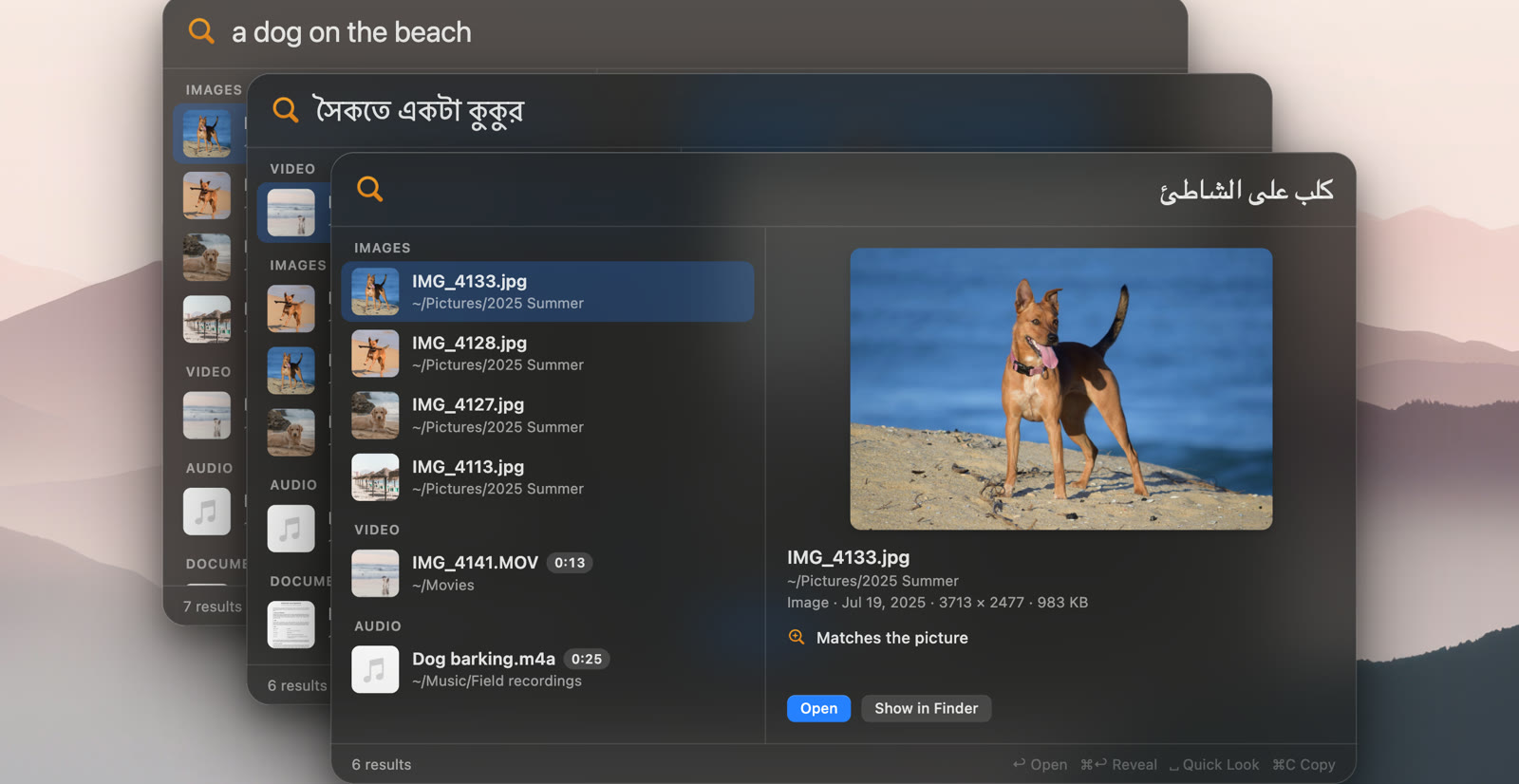
Exact-word matching has two limits. Languages written without spaces between words, like Chinese, Japanese and Thai, aren't split into words yet, so exact-word matching misses most words in them. And the text inside screenshots is read only on a Mac, by Apple's text recognition, which knows about 25 languages. Meaning search works in all of them either way.
Code
Start with code: to search your code folders, and only them: "code: retry a failed call with backoff", or a name like "code: refreshAccessToken" to go to where it's defined. Code search is off until you turn it on; see Code search.
When a search misses
- Try fewer, plainer words, or describe it differently: what's in it, rather than what it's for.
- Check that the file is in a folder DigUp reads, and of a kind it reads: Settings → Folders shows what wasn't read and why.
- During the first pass, the file may not be read yet; the newest files go first.
If a file DigUp has read still doesn't come up for a fair description, that's worth a report: the kind of file, and the words you typed. It helps make search better. See Report a bug.