Install on Windows
Install the DigUp beta on 64-bit Windows 10 or 11, without admin rights.
Windows
DigUp for Windows is a beta. The search is the same as on the Mac, with the same model and the same results; it has had less use, so expect some rough edges and please report them.
What you need
DigUp needs 64-bit Windows 10 or 11 on a 64-bit Intel or AMD processor, and about 1 GB of free space for the model and the app. A graphics card helps but isn't needed.
Install
- Download the installer,
DigUp_x.y.z_x64-setup.exe, from the download page. - Run it. It installs DigUp for you only, with no admin rights, and adds it to the Start menu.
- DigUp opens to setup; see First launch.
Graphics card or processor
During setup, DigUp times the model on your graphics card (with Vulkan) and on the processor, and uses the card only if it's faster and gives the same results. On a processor alone a picture takes a few seconds, so a large photo library can take hours the first time; setup shows the estimate before anything runs.
If searches come back empty or wrong after indexing on a graphics card, turn on Settings → General → Run the model on the processor. The last line of speed.log, in %LOCALAPPDATA%\com.abdurrahim.DigUp\logs, says which one DigUp picked.
On Windows
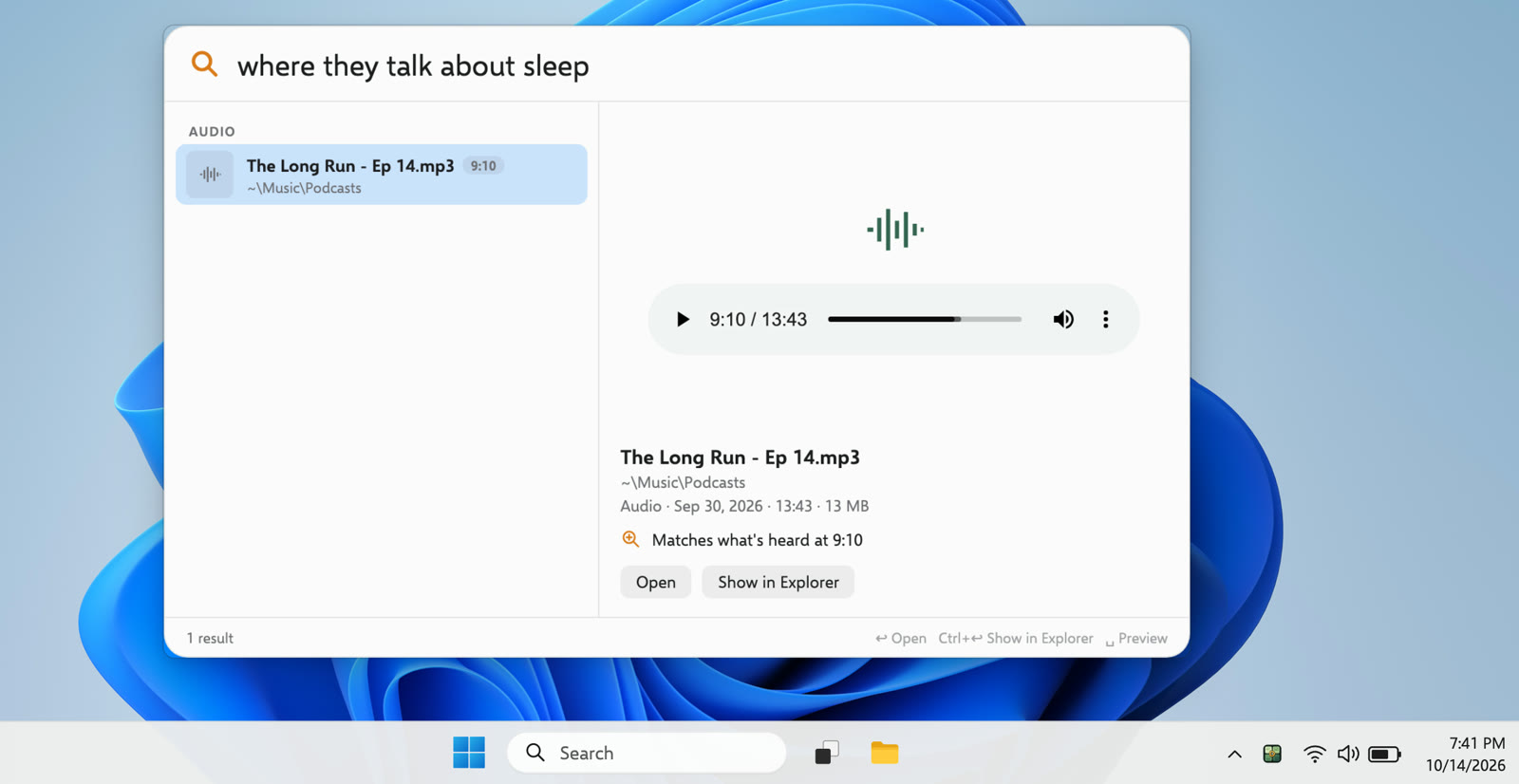
DigUp lives in the tray. A click on its icon opens the window or the search panel, as you choose in Settings, and a right-click opens its menu. CtrlShiftSpace opens the panel from any app.
Not in the beta yet: the text inside screenshots isn't read (a screenshot is found by what it shows), and old .doc files, RAW photos and SVG pictures are skipped. Files that only live in OneDrive aren't downloaded.
PDFs open at the page in Edge, Chrome, Firefox, Acrobat or SumatraPDF, and recordings and videos at the moment in VLC, mpv or MPC-HC, if that's the app Windows opens them with. See Opening results.